 Published Jun 19, 2026
  6 min
6 min  36 views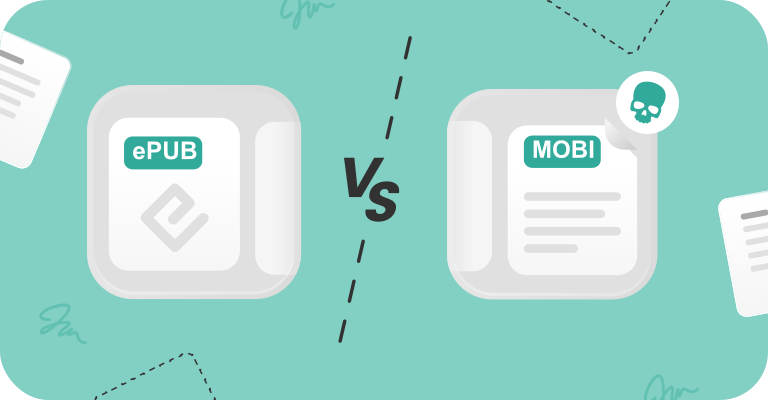
The question of EPUB vs. MOBI is no longer a debate — it's a historical footnote. If you're still choosing between these formats in 2026, the answer is simple: EPUB won. Amazon's ecosystem, once MOBI's stronghold, now prioritizes EPUB for file ingestion. The proprietary format that powered Kindles for nearly two decades has been relegated to the digital archives.
Choosing between EPUB and MOBI: Which format is best in 2026?
The format war ended when Amazon made a quiet but decisive shift. Kindle Direct Publishing stopped accepting new MOBI uploads in 2021. By 2022, the Send to Kindle service began accepting EPUB files directly, converting them server-side to Amazon's native AZW3 and KFX formats. This change eliminated the only reason readers ever preferred MOBI: direct Kindle compatibility.
When you upload an EPUB to your Kindle today, Amazon handles the conversion automatically. The result preserves image quality, layout integrity, and modern typographic features that MOBI never supported. The difference between MOBI and EPUB no longer matters for device compatibility — EPUB files work everywhere, including the ecosystem that birthed MOBI.
Legacy MOBI files still exist on hard drives and backup archives, but the format receives no development, no updates, and no new device support. Choosing MOBI for new content in 2026 would be like insisting on VHS tapes in the streaming era.
What is EPUB? The standard for ebook publishing
EPUB is the open-source ebook format maintained by the International Digital Publishing Forum. The current EPUB 3.0 specification supports multimedia embedding, CSS3 styling for sophisticated layouts, and reflowable text that adapts seamlessly to any screen size.
This format works universally across smartphones, tablets, dedicated e-readers, and desktop applications. Publishers, libraries, and retailers adopted EPUB as the industry standard because it handles quality images, SVG graphics, and embedded fonts without compromise. Unlike proprietary formats, EPUB benefits from continuous community development and broad platform support.
The open nature of EPUB means no single company controls its evolution or compatibility. Your EPUB library remains accessible regardless of which device manufacturer dominates next year's market.
What is MOBI? Amazon Kindle's legacy format
Mobipocket created the MOBI format in the early 2000s. Amazon acquired the company in 2005 and made MOBI the proprietary Kindle file type for the next fifteen years. That era is over.
MOBI struggles with modern ebook requirements. The format compresses images aggressively, resulting in low-resolution graphics that look poor on high-DPI displays. Complex layouts break. Tablet screens expose MOBI's inability to handle contemporary design standards.
Amazon froze MOBI development years ago. The format cannot support the typographic refinement, multimedia features, or visual quality that readers expect in 2026. Every limitation that made MOBI adequate for 2007's monochrome Kindles now makes it obsolete for color tablets and smartphone screens.
EPUB vs. MOBI: Which file format to choose for your ebook
Is EPUB or MOBI better for Kindle? The technical differences now point to EPUB as the better choice for most Kindle users.
| Feature | EPUB | MOBI |
|---|---|---|
| Layout | Reflowable, responsive | Reflowable, basic |
| Images | Quality output, SVG support | Compressed, low-resolution |
| Future-proofing | Active development, universal support | None; deprecated format |
| Device support | All platforms and readers | Legacy Kindle devices only |
| File size | Efficient compression | Larger for equivalent content |
| Typography | Advanced CSS, custom fonts | Basic text rendering |
| Metadata | Rich bibliographic data | Limited fields |
EPUB delivers better image quality, broader compatibility, and ongoing improvements from an active development community. MOBI offers nothing that EPUB cannot match or exceed.