How to cite a PDF in MLA style (9th edition)
MLA's "container" concept focuses on where you found the document. When citing a PDF in MLA format, think of the website or database as a container holding the original work.
Structure your Works Cited entry this way:
Author. "Title of Document." Website Name, Date, URL.
Article and document titles use quotation marks, while website names appear in italics. The date should be as specific as available (day, month, year), and the URL should be the complete web address. Unlike APA style, MLA doesn't require "https://" but including it causes no harm.
In-text citations use the author's last name and page number: (Smith 12). If no page numbers exist, use the author's name alone: (Smith).
PDF example (journal article)
For a scholarly article accessed as a PDF download:
Kerry, Vanessa, and Sadath Sayeed. "Advancing the Climate Change and Health Nexus: The 2024 Agenda." PLOS Global Public Health, vol. 4, no. 3, 2024, https://doi.org/10.1371/journal.pgph.0003008.
The in-text citation would be: (Kerry and Sayeed).
The volume and issue numbers and DOI all help readers locate the exact source within the journal's publication history.
How to cite a PDF in Chicago style (17th edition)
Chicago offers two systems: Notes-Bibliography (common in humanities) and Author-Date (common in sciences). Both handle PDF references identically, differing only in how you cite sources in the text.
For Author-Date format, follow this template:
Author Last Name, First Name. "Title of Document." Publisher, Year. URL.
The bibliography entry mirrors APA's structure but uses different punctuation. Footnotes in Notes-Bibliography style follow a similar pattern but use commas instead of periods between major elements.
In-text citations for Author-Date style appear as: (Smith 2024). Footnotes in Notes-Bibliography style provide full citation details on first reference, then shortened forms for subsequent citations.
PDF example (book chapter)
For a chapter downloaded as a PDF from an open access collection:
Kate Osborne, "Stewarding Civic Spaces: Place and Social Mobility in Elizabethan Exeter," in Hidden Cities: Urban Space, Geolocated Apps and Public History in Early Modern Europe, ed. Fabrizio Nevola, David Rosenthal, and Nicholas Terpstra (London: Routledge, 2022), https://doi.org/10.4324/9781003172000.
The shortened footnote would read: Osborne, "Stewarding Civic Spaces," 160.
The chapter title appears in quotation marks while the book title is italicized, the editors are identified with "ed.," and the DOI lets readers access the exact chapter from the publisher's platform.
Special cases: Citing government reports & whitepapers
Corporate and government authors present unique challenges. Organizations like the World Health Organization, Environmental Protection Agency, or World Bank function as the author when no individual names appear.
Treat the organization as the author across all three citation styles. For APA format: World Health Organization. (2024). Global health report 2024. WHO Press. https://www.who.int/publications/report-2024
In MLA style: World Health Organization. "Global Health Report 2024." WHO Press, 2024, www.who.int/publications/report-2024.
For Chicago: World Health Organization. "Global Health Report 2024." WHO Press, 2024. https://www.who.int/publications/report-2024.
When citing corporate whitepapers, use the company name as the author. In-text citations reference the organization name and year: (Environmental Protection Agency, 2024). If the organization name is long, create an abbreviation after first use: (Environmental Protection Agency [EPA], 2024), then (EPA, 2024) in subsequent citations.
What to do when citation details are missing
Real-world PDFs often lack complete publication information. Rather than guessing, apply these systematic fixes for each missing element.
No Author? Move the document title to the author position in your reference list. Alphabetize by the first significant word (ignore "The," "A," or "An"). In-text citations use a shortened version of the title in quotation marks or italics, matching the reference list format.
No Date? Use "n.d." (no date) in place of the year across all three citation styles. APA: (Company Name, n.d.). MLA: Company Name, n.d. Chicago: (Company Name n.d.).
No Page Numbers? Digital documents and online sources rarely include traditional pagination. For in-text citations, use paragraph numbers when visible: (Smith, 2024, para. 4). Alternatively, reference section headings: (Smith, 2024, "Methodology" section). MLA allows you to cite by author alone when page numbers don't exist.
These solutions maintain citation integrity even when source information is incomplete.
Before declaring information missing, check the PDF's hidden metadata. Document properties often contain author names, exact creation dates, publisher details, and original titles that don't appear on the rendered pages.
To access metadata in any online PDF viewer, right-click inside the document and select "Properties" or "Document Properties." Alternatively, look for a File menu or Information icon in the toolbar. The properties panel reveals embedded data fields including Title, Author, Subject, Creator, Producer, Creation Date, and Modification Date.
This technique solves the "missing author" problem when an individual's name is embedded but not printed on the cover page. It also clarifies publication dates when copyright pages show ranges instead of specific years. The Creation Date in metadata typically reflects when the PDF was generated, while the original publication date may appear in the Subject or Title fields.
Not every PDF contains complete metadata — quality depends on how the document creator configured the file. But checking properties takes seconds and often reveals exactly what you need for a complete citation.
Citing AI-analyzed PDFs in 2026
Modern research workflows increasingly involve AI tools like ChatGPT, Claude, or Gemini for analyzing PDF content. The fundamental principle remains unchanged: cite the primary source (the PDF itself) in your reference list using the standard format for its source type.
AI tools function as research assistants, not citable sources for factual claims drawn from PDFs. When an AI analyzes a government report or interprets data from a scholarly article, the report or article remains your citeable source. The citation format doesn't change based on how you accessed or processed the information.
If an AI tool provided significant interpretation or analysis that shaped your understanding, acknowledge it in your methodology section or acknowledgments rather than in the citation itself. For example: "Content analysis assisted by ChatGPT (OpenAI, 2024)." This maintains transparency without misattributing the original source's authorship.
Check your institution's academic integrity policies, as some universities require disclosure statements for AI-assisted research. The core requirement stays consistent: the PDF's original author, publication date, and source information belong in your bibliography.
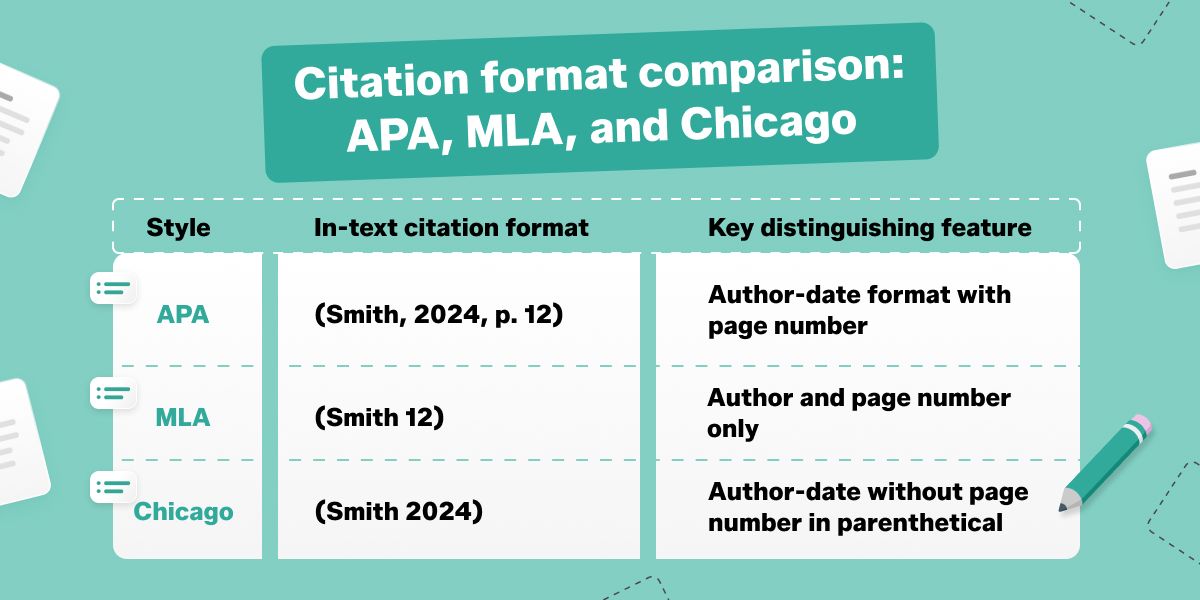
| Style |
In-text citation format |
Key distinguishing feature |
| APA |
(Smith, 2024, p. 12) |
Author-date format with page number |
| MLA |
(Smith 12) |
Author and page number only |
| Chicago |
(Smith 2024) |
Author-date without page number in parenthetical |
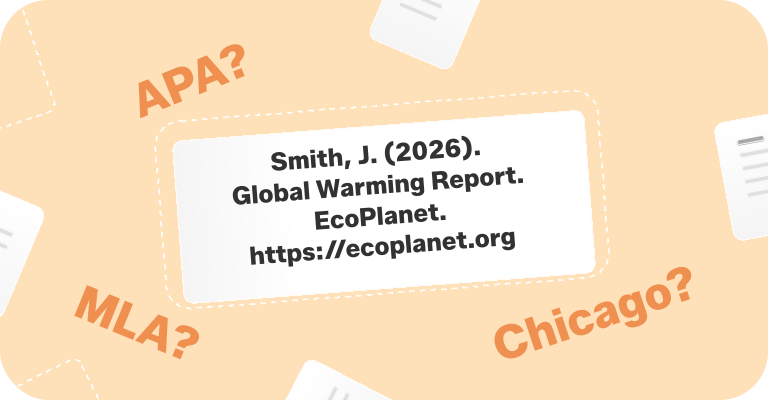
Each citation style serves different academic disciplines. APA dominates social sciences, MLA is standard in humanities and literature, and Chicago appears in history, business, and some science fields. Choose the style your institution or publisher requires, then apply its template consistently throughout your reference list. When in doubt, consult the official style manual for your chosen format or explore citation resources on PDFFly for additional document management tools.

 Published Jun 19, 2026
  9 min
9 min  48 views